The Claude Code ecosystem grew from zero to 9,000+ plugins in under five months — and most of them aren't worth your time. According to a recent analysis, only about 50-100 of those plugins are production-ready (AI Tool Analysis, 2026). That's a 1% hit rate. No wonder developers feel paralyzed when choosing what to install.
Here's the thing: you don't need dozens of plugins. You need the right eight to ten tools that match how you actually work. This guide covers exactly that — 10 battle-tested plugins with install instructions, real use cases, and honest guidance on when each tool isn't worth the setup.
TL;DR: Use CLIs over MCP servers whenever possible — they cut token overhead by up to 96% (Speakeasy, 2025). The 10 plugins here cover databases, deployment, research, browser automation, and diagramming. Start with Supabase CLI, Skill Creator, and GitHub CLI — they'll cover most workflows immediately.
Quick Comparison: All 10 Plugins at a Glance
| # | Plugin | Type | Cost | Token Impact | Best For |
|---|---|---|---|---|---|
| 1 | Supabase CLI | CLI + Skill | Free (2 projects, 500 MB) | Minimal | Databases, auth, storage |
| 2 | Skill Creator | Skill | Free (open-source) | None | Building custom skills |
| 3 | GSD Framework | Orchestration | Free (open-source) | None (sub-agents) | Greenfield projects |
| 4 | NotebookLM-PI | CLI | Free | Minimal | Research, podcasts, flashcards |
| 5 | Obsidian Integration | Native (no plugin) | Free | None | Knowledge management |
| 6 | Vercel CLI | CLI + Skill | Free (hobby tier) | Minimal | Deployments, domains, logs |
| 7 | Playwright CLI | CLI + Skill | Free (open-source) | Minimal | Browser testing, UI automation |
| 8 | GitHub CLI | CLI | Free | Minimal | PRs, issues, CI checks |
| 9 | Firecrawl CLI | CLI + Skill | Free (500 credits) | Minimal | Web scraping, research |
| 10 | Excalidraw Skill | Skill | Free (open-source) | None | Architecture diagrams |
Why Does the Claude Code Plugin Ecosystem Feel So Overwhelming?
The AI coding tools market hit $5.5 billion in 2024 and is projected to reach $14.62 billion by 2033 at a 15.31% CAGR (Yahoo Finance / SNS Insider, 2025). That kind of money attracts an explosion of tooling. New MCP servers, CLI tools, skills, and frameworks drop daily. Most of them solve problems you don't have.
The real issue isn't availability — it's signal versus noise. Every plugin adds token overhead to your context window. Every MCP server running in the background consumes resources. More capability doesn't automatically mean more productivity. In fact, it often means the opposite.
So how do you cut through the noise? You start with a simple question: does this tool solve a problem I actually have right now? If it doesn't, skip it. If it does, check whether a CLI alternative exists before reaching for an MCP server. That distinction alone will save you thousands of tokens per conversation.
What follows is a list of 10 tools I've personally tested and keep installed. For each one, you'll get the install command, the skill pairing (if any), the specific use cases where it shines, and — just as important — when you shouldn't bother.
For a full overview of what Claude Code can do out of the box, check Anthropic's official Claude Code documentation.
Should You Use CLI Tools or MCP Servers?
A single GitHub MCP server with its 93 tool definitions consumes roughly 55,000 tokens before the agent does any work (DEV Community, 2025). That's not a typo. A five-server MCP setup can burn through a significant chunk of your context window on initialization alone — before you've even asked a question. Choose CLI over MCP whenever both exist for the same service. It's not close.
MCPs were designed in 2024 to connect AI assistants to external systems (for a full breakdown, see our guide to the Model Context Protocol). That made sense when AI tools lived in chat windows. But in 2026, coding agents like Claude Code live in the terminal. They can call CLIs directly. Why route through a protocol layer when you can just run a command?
The pattern most developers miss: Every CLI tool you install should be paired with a purpose-built skill. The CLI gives Claude Code the capability; the skill teaches it when and how to use that capability correctly. Without the skill, you're relying on the model's general knowledge — which works, but isn't optimal. With the skill, you get precise, context-aware tool usage.
Here's the rule of thumb: CLI first, MCP only when no CLI alternative exists. When you need persistent connections to streaming APIs or real-time data feeds, MCPs earn their keep. For everything else — databases, deployments, version control, web scraping — CLIs win on every metric.
What Makes CLIs Better for AI Coding Agents?
A CLI call is a single function execution: run command, get stdout/stderr, done. An MCP call involves schema negotiation, tool discovery, connection management, and multi-tool overhead. According to Speakeasy's engineering team, dynamic toolset approaches that avoid loading unused MCP tool definitions reduced token consumption by an average of 96% for inputs and 90% for total usage (Speakeasy, 2025). That's the difference between a lean conversation and one that starts already half-full.
MCP tool definitions consume tokens even when tools go unused. CLIs avoid this entirely.
The takeaway is straightforward. When you install a new CLI, pair it with a purpose-built skill. That combination gives you the same capabilities as an MCP server at a fraction of the token cost. Is it worth burning half your context window on tool definitions you might not even use? Not when the alternative is this much cheaper.
What Are the Best Claude Code Plugins for Databases and Authentication?
1. Supabase CLI (Not the MCP)
Supabase's free tier includes 2 active projects, 500 MB of database storage, 50,000 monthly active users, and 1 GB of file storage (Supabase, 2025). That's enough to build and launch a real product without spending a dollar. And the CLI gives Claude Code full access to all of it — PostgreSQL databases, authentication, storage, and edge functions — with zero MCP overhead.
The Supabase CLI gives Claude Code direct access to PostgreSQL, Auth, Storage, and Edge Functions — no MCP overhead.
Install it with the Supabase CLI getting started guide, or just ask Claude Code to install it for you. Then pair it with the official Supabase agent skills for Claude Code. The skill teaches Claude Code the right commands for migrations, database queries, auth setup, and storage operations.
What I've learned the hard way: I originally installed the Supabase MCP server because it showed up first in every search result. It worked, but the token overhead was noticeable in longer conversations. Switching to the CLI + skill approach was a one-line change that made my sessions feel snappier. The MCP gets more marketing; the CLI gets more done.
Use cases include any project that needs a database — standard Postgres, vector databases for RAG pipelines, user authentication, profile management, and file storage. If you're building a full-stack app from scratch, Supabase CLI is probably the first plugin you should install. The skill pairing matters here — without it, Claude Code will sometimes try to use raw SQL when the Supabase CLI has a cleaner command available.
When shouldn't you use it? If you're already committed to a different database provider (PlanetScale, Neon, Railway), there's no reason to switch. Supabase isn't magic — it's just a very good Postgres wrapper with auth baked in.
Which Plugins Help You Build and Test Skills?
2. Skill Creator (by Anthropic)
The Skill Creator is the highest-leverage plugin on this list. Anthropic's own team built and maintains it, and it does something no other tool can: it lets you create, modify, and A/B test custom Claude Code skills with actual performance data instead of gut feeling.
Install it from the Anthropic skills repo — the Skill Creator lives in the skills/skill-creator/ directory. You can invoke it two ways: the /skill-creator slash command for a guided flow, or natural language like "use the skill creator to build a code review skill for this project."
Here's why it matters more than any individual tool. Every other plugin on this list works better when paired with a well-written skill. The Skill Creator lets you build those skills methodically. Create a skill, test it against a baseline, compare outputs, iterate. It's prompt engineering with a feedback loop.
The built-in evaluation and benchmarking is the real differentiator. You can run A/B tests comparing skill versus no-skill performance, or test your current skill version against the previous one. Anthropic published a blog post documenting the measurable improvements this approach produces. Under the hood, it's a text prompt — you can inspect the full source on Anthropic's GitHub if you're curious about how it works.
84% of developers now use or plan to use AI coding tools (Stack Overflow Developer Survey, 2025). But how many of them are actually optimizing how those tools perform? Skills are the customization layer that turns a general-purpose AI assistant into a specialist for your specific codebase and workflow.
Use cases: enforce project-specific coding conventions, create review standards, build domain-specific assistants, standardize how Claude Code interacts with your entire toolchain. Can't think of a reason not to install this one.
Anthropic's prompt engineering guide covers the fundamentals if you want to write better skills from scratch.
How Do You Manage New Projects and Context Windows?
3. GSD (Get Stuff Done) Framework
Research from Chroma found that LLM performance degrades substantially as input length grows — even with perfect retrieval. Claude models showed the most dramatic performance gaps between focused inputs (~300 tokens) and full context inputs (~113,000 tokens) (Chroma Research, 2025). That's the problem GSD solves.
GSD is an orchestration layer that sits on top of Claude Code. It enforces spec-driven development with automatic context window management. Think of it as plan mode on steroids — with guardrails that prevent the quality degradation that happens in long conversations.
Install it with a single command from the GSD GitHub repo. Then start new projects with /gsd new-project. It kicks off a structured planning phase that breaks your project into phases, features, and tasks. Each execution step gets a fresh context window using sub-agents. Your outputs in step 47 are just as sharp as step 1.
Chroma Research found Claude models showed the most dramatic quality gaps between focused and full-context inputs.
GSD solves context rot by ensuring each execution step starts clean. It's best for greenfield projects where you want maximum structure. Building a SaaS from scratch? An API with multiple endpoints? A full course platform? GSD keeps everything organized and prevents the "conversation fatigue" that leads to sloppy outputs.
When should you skip it? Quick fixes, bug patches, or small changes to existing projects. GSD's planning overhead isn't worth it for a 10-minute task. It's a power tool for ambitious builds, not a screwdriver.
What Are the Best Plugins for Research and Knowledge Management?
4. NotebookLM-PI
NotebookLM saw 120% quarter-over-quarter growth in monthly active users during Q4 2024, reaching over 48 million monthly visits (SEO Sandwich / Google, 2025). That's a massive user base generating research, analysis, and multimedia content — and NotebookLM-PI connects it directly to Claude Code via CLI.

Install it from the notebooklm-py GitHub repo with pip install "notebooklm-py[browser]", then run notebooklm login to authenticate through your browser. Then add the NotebookLM skill so Claude Code knows the available commands. There's no official NotebookLM API — this tool reverse-engineers the interface. It works, but it's worth knowing that.
Use cases go well beyond basic research. You can generate analysis reports, podcast episodes, slide decks, flashcards, and infographics — all from the terminal. Want to turn a lengthy technical document into a 10-minute podcast summary? Tell Claude Code to do it. Need flashcards from your codebase documentation? Same deal.
The value play is wild. NotebookLM is free, and this CLI gives you programmatic access to all its features. You're offloading research-heavy tasks to Google's infrastructure at zero cost. For content creators, educators, or anyone who needs to synthesize large amounts of information, this is a genuine time saver.
5. Obsidian Integration
Here's one that doesn't need a plugin at all. Download Obsidian, create a vault folder, and open Claude Code in that directory. That's it. No MCP server, no CLI tool, no skill required. Claude Code can read and write markdown files natively. Obsidian's just the viewer.
Tell Claude Code to follow Obsidian conventions — wiki-links with double brackets, YAML frontmatter, folder-based organization — and it'll produce notes that integrate perfectly with your existing vault. Obsidian's graph view then lets you visualize how Claude Code's outputs connect across documents.
This isn't for typical coding projects. It's for personal assistant workflows. If you use Obsidian as a knowledge base for research, meeting notes, project documentation, or personal journaling, Claude Code becomes an incredibly fast content generator that writes directly into your existing system.
When shouldn't you bother? If you don't already use Obsidian or a similar markdown-based knowledge manager, there's no reason to start just for this integration. The value comes from having an existing vault that Claude Code can extend — not from the integration itself.
Which Plugins Handle Deployment and Browser Automation?
6. Vercel CLI
Vercel hit $200 million in annual recurring revenue by mid-2025 with over 1 million developers using Next.js monthly (DevGraphiq, 2025). If you're deploying to Vercel — and if you're building with Next.js, you probably are — the CLI is a no-brainer.
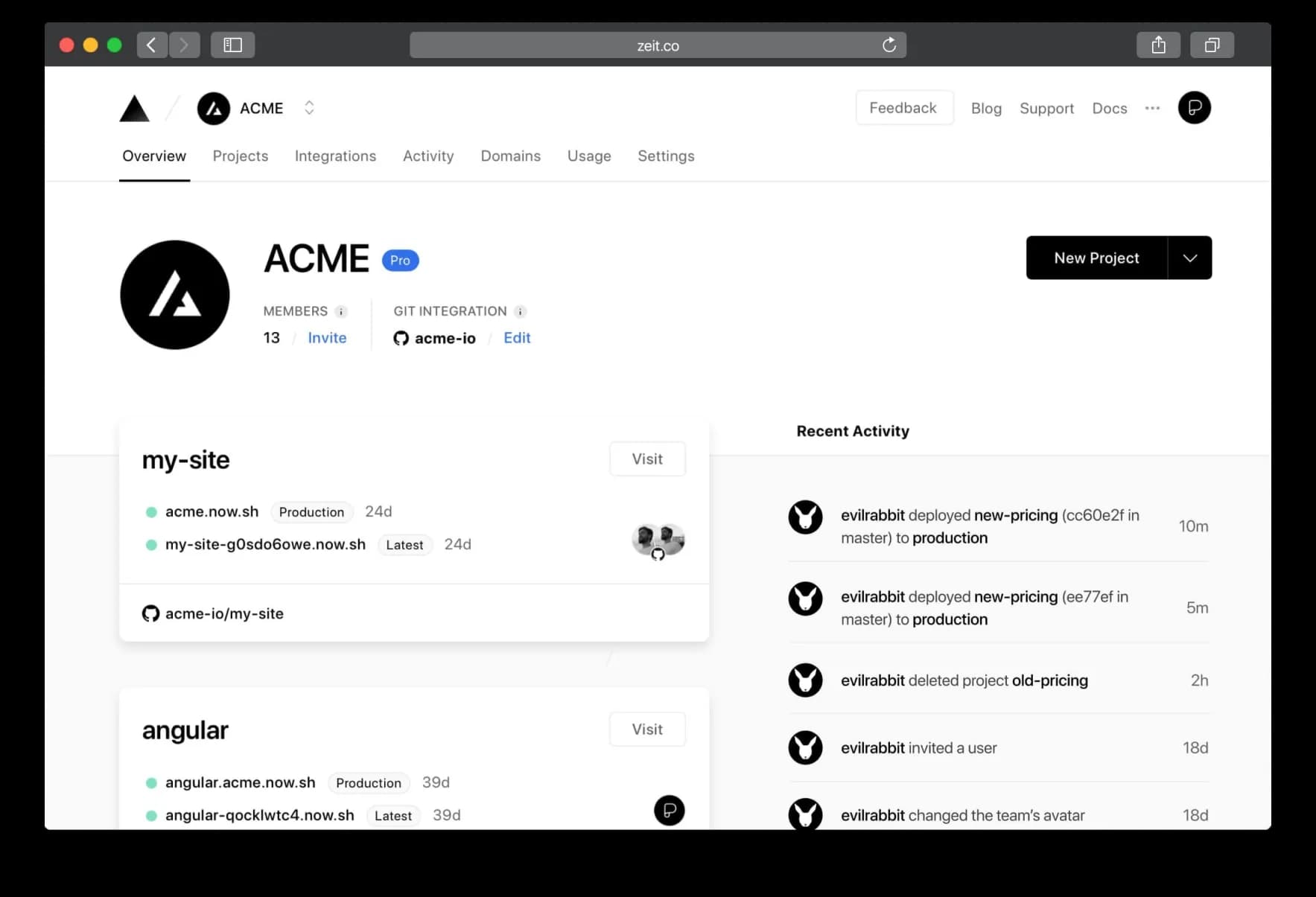
Install it with npm i -g vercel (Vercel CLI docs) or ask Claude Code to handle the installation. Then grab the official Vercel agent skills — they include React best practices, Next.js performance optimization, and deploy workflows. The CLI covers deployments, domain management, build log inspection, and environment variable configuration.
The power move is combining Vercel CLI with agent loops. Set up a workflow where Claude Code automatically checks deployment status after every push. Build fails? Claude Code reads the logs, identifies the issue, and suggests a fix — all without you switching tabs. Pair this with GitHub CLI (coming up next) and you've got a complete code-to-deploy pipeline in your terminal.
From my own setup: I run a post-push hook that triggers
vercel --prodautomatically. Claude Code monitors the deployment, and if anything fails, it pulls the build logs and walks me through the fix. What used to be a five-tab workflow — editor, terminal, Vercel dashboard, GitHub, browser — is now a single terminal session.
7. Playwright CLI
Playwright holds a 45.1% adoption rate among QA professionals, with 78,600+ GitHub stars and a 94% retention rate — meaning almost everyone who tries it keeps using it (TestDino, 2025). Microsoft's open-source browser automation framework is now the dominant choice over Selenium, Cypress, and Puppeteer.
Playwright now leads browser automation with a 94% developer retention rate.
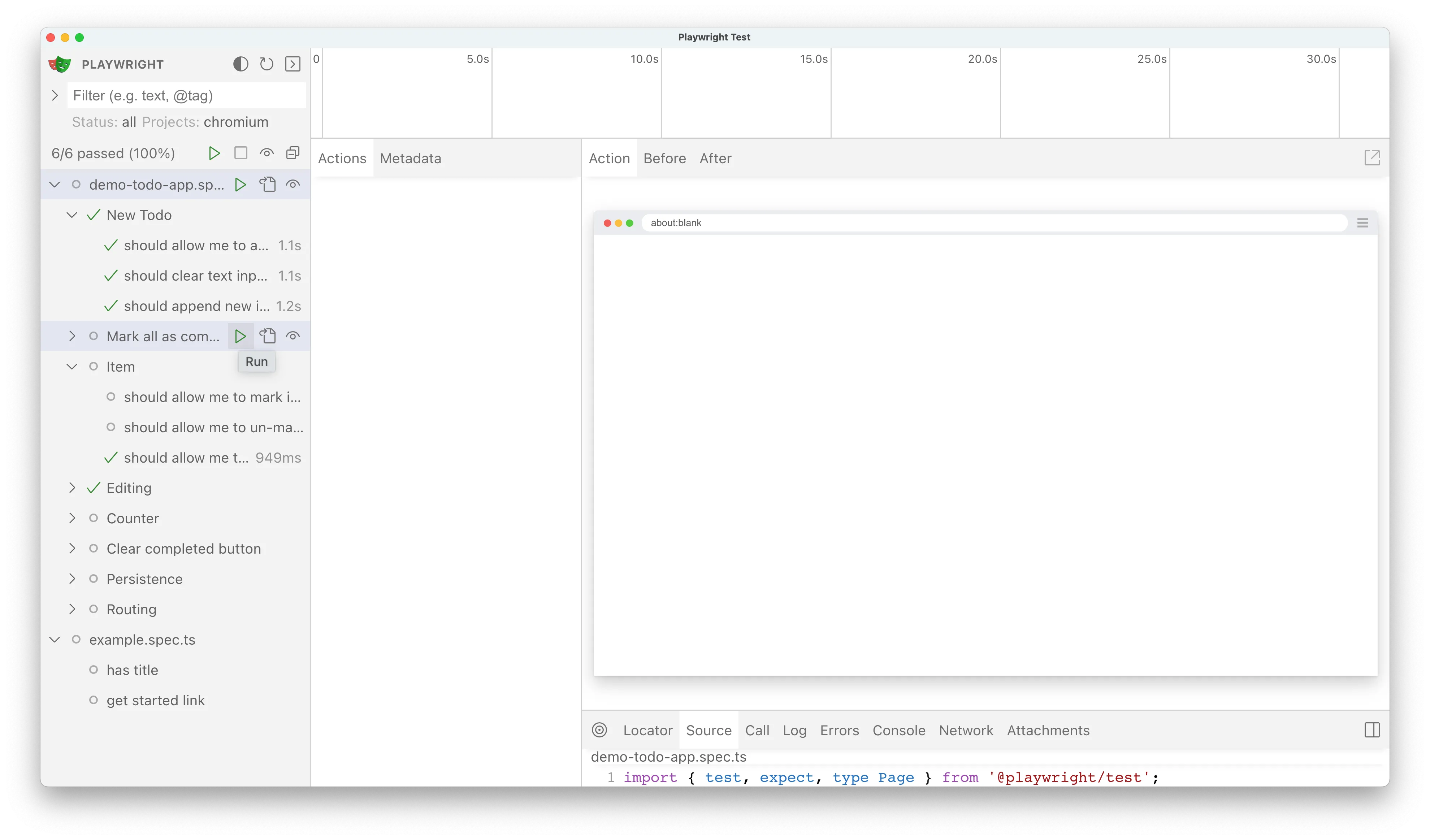
Install it with npm install -g @playwright/cli@latest from the Playwright CLI package, then run playwright-cli install-skills to add the Claude Code integration. From there, you can control a real browser using plain English. "Test the checkout flow." "Fill out and submit the contact form." "Take a screenshot of the homepage on mobile."
The show command is particularly useful — it opens a visual dashboard showing what all browser agents are doing, even headless ones. You can watch Claude Code clicking through your app in real time. It's oddly satisfying and genuinely helpful for debugging.
Use cases: UI testing, form submission testing, end-to-end workflow verification, and any repetitive manual browser task you're tired of doing yourself. Who wants to manually test the same checkout flow for the twentieth time?
What About Version Control, Web Scraping, and Diagrams?
8. GitHub CLI
GitHub CLI (gh) has 43,100+ stars, 600+ contributors, and 192 releases — it's one of the most actively maintained developer tools on the planet (GitHub, 2026). And here's the best part: you probably don't even need a skill for it. Coding agents are deeply trained on Git and GitHub workflows already.
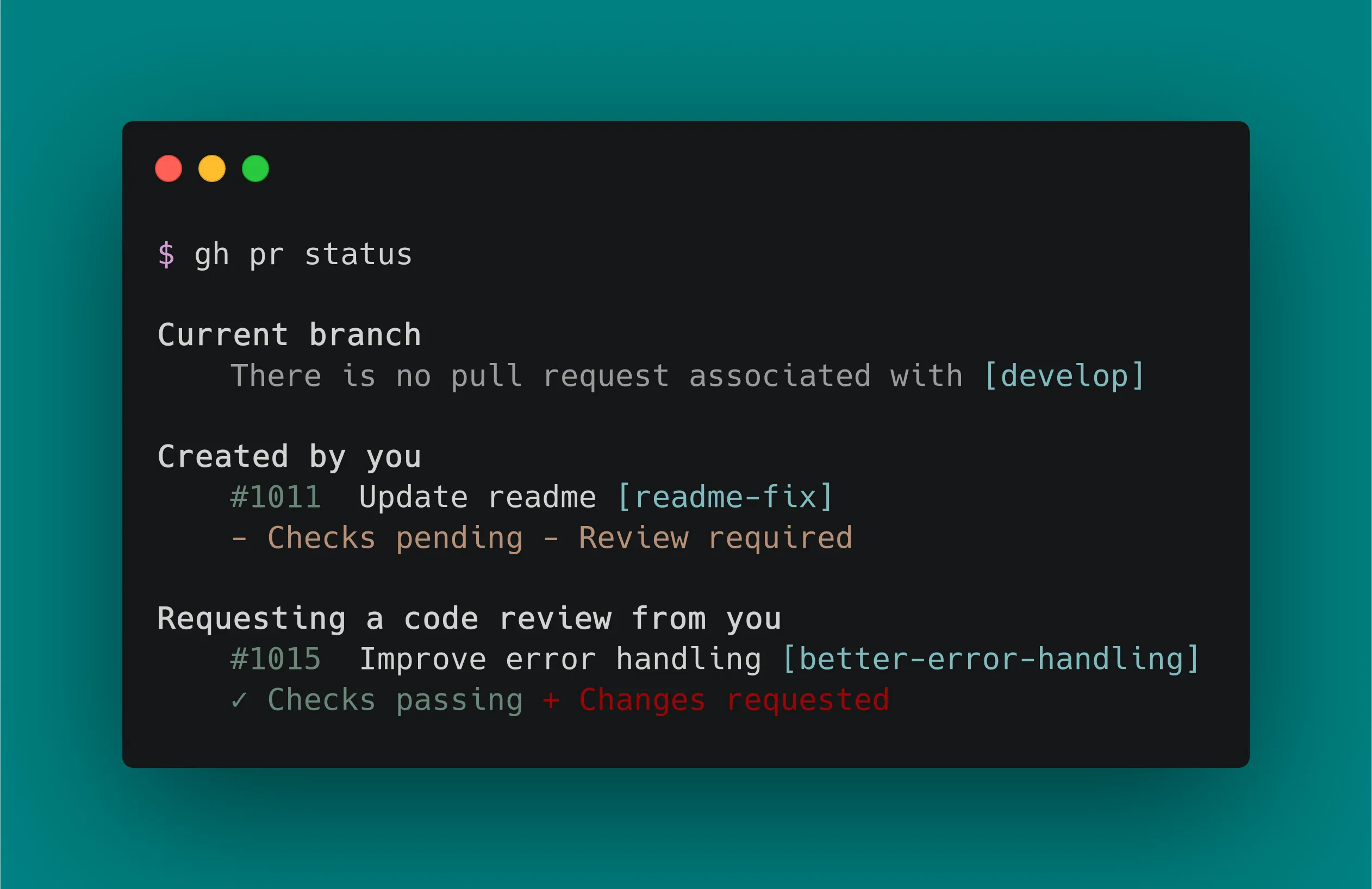
Install it from cli.github.com or ask Claude Code. Then just start talking. "Create a PR with these changes." "Check if CI passed on the latest commit." "Close issue 47 with a comment." Claude Code handles the gh commands natively because Git is one of the things it knows best.
Optionally, use the Skill Creator to build a custom GitHub skill if you want project-specific conventions — like enforcing a particular PR template, or always running linting before commits. But out of the box, it works remarkably well without one.
The real power shows when you pair GitHub CLI with Vercel CLI. Push your code, create a PR, wait for CI, deploy to preview — all in one conversation. That's a workflow that used to require four different browser tabs and constant context switching.
9. Firecrawl CLI
Firecrawl's free tier gives you 500 credits (pages) with no credit card required, and the hobby plan is $16/month for 3,000 credits (Firecrawl, 2025). What makes it worth paying for? It returns web-scraped data in a format optimized specifically for AI agents — a major upgrade over Claude Code's built-in web search when you need structured data.
Install it with npx -y firecrawl-cli@latest init --all --browser from the Firecrawl CLI repo — the --all flag installs the skill to all detected AI coding agents and --browser handles API key auth. Firecrawl gives Claude Code four core commands: scrape, crawl, map, and search. You don't need to pick the right one — just describe what you want and Claude Code selects the appropriate command.
Where Firecrawl actually beats built-in search: Claude Code's native web search is good for quick fact-checking and general queries. But when you need to extract structured data from multiple pages — competitor pricing tables, documentation across 50 pages, changelog analysis — Firecrawl's crawl and map commands do in one call what would take dozens of individual searches. The data comes back clean and ready for analysis.
Use cases: competitor research, documentation scraping, site change monitoring, and deep research with source citations. It's also useful for building datasets — crawl a set of pages, extract the relevant information, and feed it into your project.
10. Excalidraw Diagram Skill
Excalidraw reached approximately 850,000 monthly active users with 89,000+ GitHub stars (Excalidraw, 2024). The diagramming tool is beloved by developers for its hand-drawn aesthetic and simplicity. The Claude Code skill, created by Cole Medin, turns natural language descriptions into Excalidraw diagrams — no manual drawing required.
Install it from Cole Medin's GitHub repo by cloning and copying the skill into your .claude/skills/ directory. Then describe what you want: "Create an architecture diagram showing the API gateway connecting to three microservices." Claude Code generates the Excalidraw file. Open it in Excalidraw's editor or viewer and you've got a presentation-ready diagram.
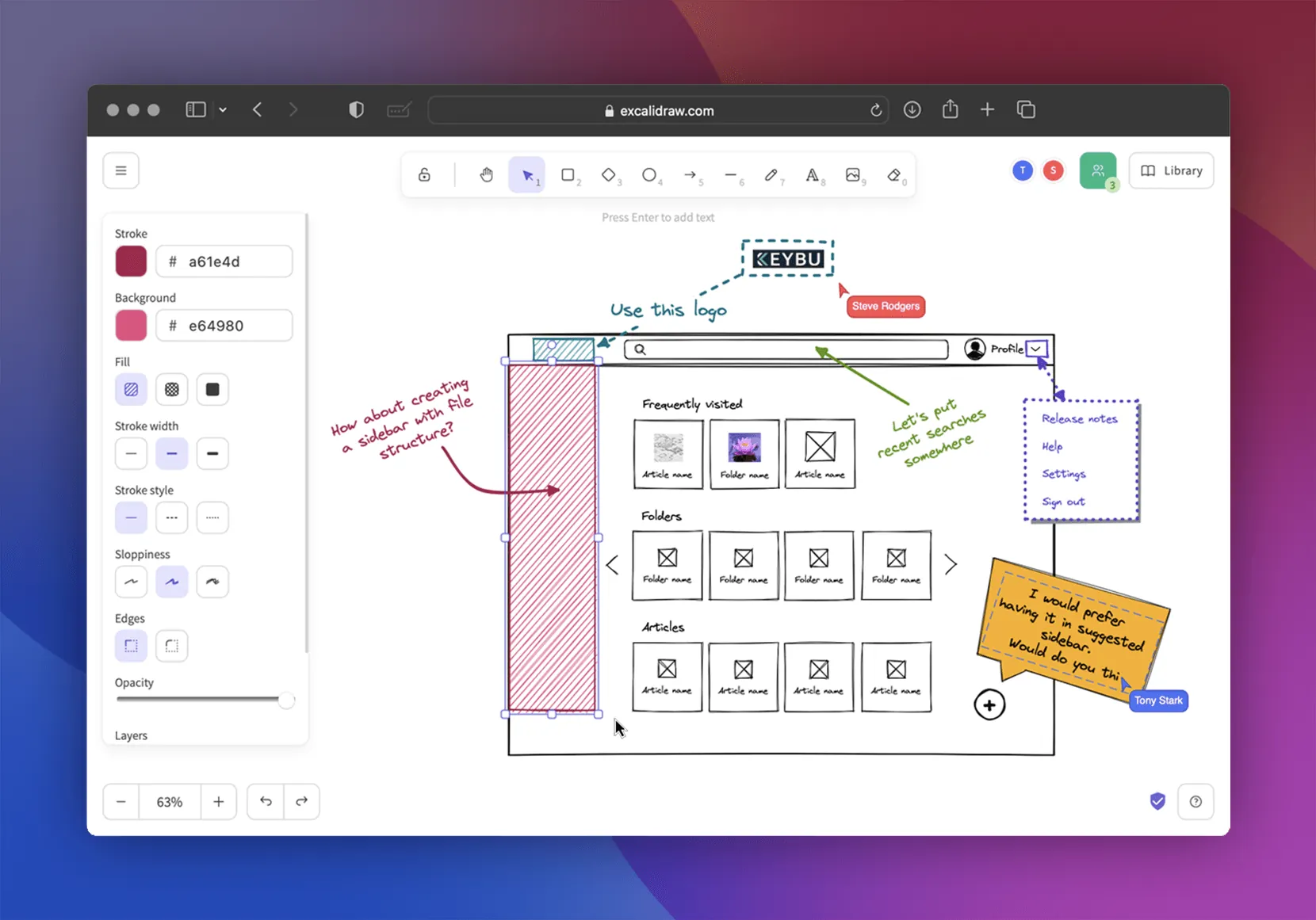
Best workflow: point Claude Code at a knowledge base, a README, or a technical writeup and ask it to create diagrams for each section. Use plan mode to go back and forth on diagram design before generating the final output. What used to take 30 minutes of manual Excalidraw positioning now takes 30 seconds of typing.
Use cases: presentation diagrams, architecture charts, flowcharts, system design visuals, and documentation illustrations. Anything you'd normally draw by hand in Excalidraw, you can now describe in words.
Frequently Asked Questions
Are Claude Code plugins free to use?
Most plugins on this list are free and open-source. The underlying services vary — Supabase offers 2 projects and 500 MB free, Firecrawl gives 500 free credits, and Vercel's hobby tier handles most personal projects at no cost (Supabase, 2025). You can build and ship a real product without paying for any of these tools.
What's the difference between a skill, a CLI tool, and an MCP server?
Skills are prompt-based instructions that teach Claude Code methodology — they don't connect to anything external. CLI tools are standalone programs that Claude Code calls from the terminal. MCP servers are protocol-based connections to external APIs with persistent state. For most use cases, CLI + skill gives you the best performance at the lowest token cost.
How many plugins should I install at once?
Start with three or four that match your immediate workflow. A five-server MCP setup can consume ~55,000 tokens before your conversation even starts (DEV Community, 2025). More plugins means more token overhead and potential conflicts. Audit what you actually use after two weeks and remove anything that hasn't earned its keep.
Can I create my own Claude Code plugins?
Yes — and it's easier than you'd think. Use the Skill Creator (plugin #2 on this list) to build, test, and iterate on custom skills with real performance data. For CLI tools, any command-line program that produces stdout output works with Claude Code. You don't need a special framework or SDK.
Do these tools work on Windows, Mac, and Linux?
Every CLI tool on this list supports all three operating systems. Install commands differ by platform — check each tool's GitHub repo or docs page for OS-specific instructions. If you're on Windows, WSL2 provides the smoothest experience for terminal-native tools.
Anthropic's Claude Code quickstart walks through setup on all three platforms if you're just getting started.
Pick One Tool and Install It Today
The Claude Code plugin ecosystem is growing fast, but your toolkit shouldn't grow at the same pace. The CLI-first approach isn't just a preference — it's a measurable advantage. You're saving 96% on token costs, keeping your context window clean, and getting the same capabilities with less overhead.
Here's what I'd recommend based on your workflow:
- Building full-stack apps: Start with Supabase CLI + Vercel CLI + GitHub CLI
- Improving Claude Code itself: Start with Skill Creator
- Research and content work: Start with NotebookLM-PI + Firecrawl CLI
- Testing and QA: Start with Playwright CLI
- Ambitious new projects: Start with GSD Framework
Don't install all 10 at once. Pick the two or three that match what you're actually doing this week. Install them, pair them with skills, and see the difference. You can always add more later — but you can't get back a context window that's already full of unused tool definitions. If you're still exploring what to build, check out our available courses for hands-on project ideas.
Looking to level up beyond just plugins? Browse our course catalog to find structured learning paths in full-stack development, freelancing, and more.

Shajeel Afzal
Founder, LWS Academy
Read more
What Are Agent Skills? A Developer's Guide to Reusable AI Workflows
Agent Skills let you package reusable prompts as slash commands in Claude Code. Learn how SKILL.md files work, where they live, and how to build your first skill.
What Is MCP (Model Context Protocol)? A Complete Guide
MCP hit 97M+ monthly SDK downloads and 10,000+ servers in one year. Learn how the Model Context Protocol works and why every major AI company adopted it.
Claude Code vs Cursor (2026): Which Is Better?
Claude Code vs Cursor in 2026: 84% of developers use AI coding tools, but which fits your workflow? We tested both on real client work for the verdict.